• PowerArchiver 2018 Archive Rename and Reload

    Moved Solved
    4
    1
    1 Votes
    4 Posts
    3k Views
    C
    Confirmed! Huge TY
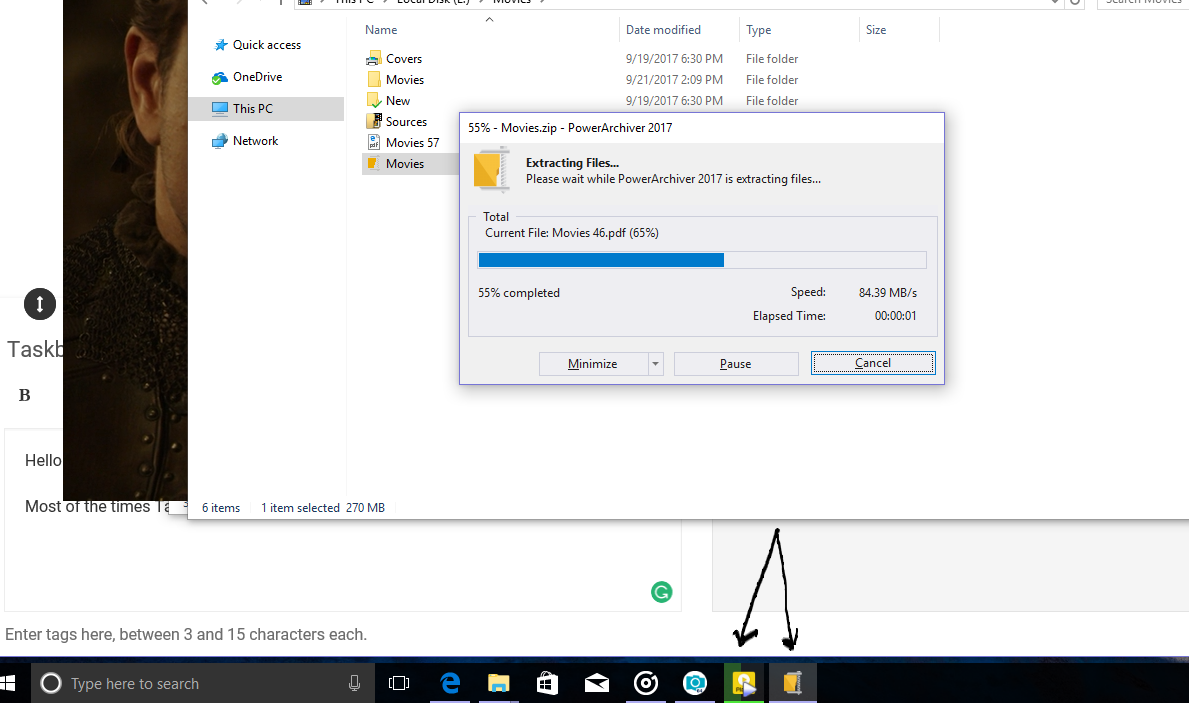
  • Again Taskbar Progress Bar

    Unsolved
    2
    1 Votes
    2 Posts
    2k Views
    spwolfS
    @shahin appreciated the report and logged it in… will update the thread once it gets fixed. Thank you!
  • Can't find PAVD / Virtual Drive in PA 2018 64-bit Toolbox

    Solved
    3
    1
    0 Votes
    3 Posts
    3k Views
    shinythingS
    Thanks! If it was a snake, it would have bitten my nose.
  • File explorer messed up

    Solved
    5
    1 Votes
    5 Posts
    6k Views
    spwolfS
    @john said in File explorer messed up: Sorting is fixed, could you fix the second problem too? I need to scroll the list first to be able to type and find the files/folders can you open up a new thread for that please with one screenshot of the screen thats causing you problem, to make sure we understand where is that happening and I will respond there, thank you! edit: opened new thread here: https://forums.powerarchiver.com/topic/5904/quick-lookup-does-not-work-always-in-explorer-mode
  • Fast Ring: PowerArchiver 2018 18.00.31/32

    Locked
    2
    1 Votes
    2 Posts
    6k Views
    spwolfS
    @Alpha-Testers build 18.00.32 fixed several smaller issues and one important one - displaying files and folders together in external file lists and explorer modes. This now works perfectly. Thank you!
  • PA crashes when using 1st char to select file

    Solved
    40
    1 Votes
    40 Posts
    31k Views
    spwolfS
    @south37 said in PA crashes when using 1st char to select file: Just tested the 1st char select with version 18.00.31. It is working correctly. thank you very much for the report and follow ups
  • Select Buttons

    Solved
    5
    1 Votes
    5 Posts
    6k Views
    spwolfS
    @shahin it does not work (well) in this fast toolbar unfortunately, option was left over from previous versions of PA. It is a trade off between speed and features. If there becomes a way to implement it back, we shall. Thanks!
  • Fast Ring: PowerArchiver 2018 18.00.24/25/27/29

    11
    2 Votes
    11 Posts
    16k Views
    spwolfS
    @spwolf there was an update to .31, to add compatibility for onedrive folders (as well as other similar) that was lost in last few build since we re-wrote the shell. So just redownload and it shall work!
  • FTP Disconnect Button

    Solved
    4
    1 Votes
    4 Posts
    5k Views
    spwolfS
    @merinber Latest release 18.00.31: http://dl.powerarchiver.com/2018/powarc180031.exe It should fix the issue with ftp buttons and tooltips, as well as missing disconnect. Thanks!
  • Checkout in PA 18.00.24

    Solved
    10
    1
    1 Votes
    10 Posts
    9k Views
    spwolfS
    @drteeth Please check your issues with latest build: PA 2018 18.00.30: http://dl.powerarchiver.com/2018/powarc180030.exe and let us know if your issue has been fixed. Thank you!
  • Compress with Options missing from context menu.

    Solved
    11
    0 Votes
    11 Posts
    5k Views
    S
    This issue appears to be fixed.
  • Taskbar Progress Bar

    Solved
    28
    1
    1 Votes
    28 Posts
    11k Views
    spwolfS
    @shahin said in Taskbar Progress Bar: every time opening PowerArchiver a folder named “PowerArchiver 2018 (64-bit) (Unregistered)” is created in “C:\Users*\AppData\Roaming”. what’s this? p.s. if you dont have PA 2018 license yet, let us know via support at conexware.com, you will get one for bug reporting, or extension of select plan. Thanks!
  • PA 18.00.24 - Comments, hangs and folder deletes

    Solved
    6
    2
    1 Votes
    6 Posts
    6k Views
    spwolfS
    there were some improvements to comments in .29 as well. Thanks!
  • PA 18.00.23 Column configuration

    Unsolved
    2
    0 Votes
    2 Posts
    2k Views
    spwolfS
    @drteeth said in PA 18.00.23 Column configuration: Hi, Whilst configuring the columns in the archive window, I noticed a couple of annoying things. The first is that the columns have the same colour as the rest of the window. I prefer to have my column headers if not a different colour to be at least delineated by a dark colour. The other thing is that when I deselect a column header so I will not see it, it does not disappear like in other programs I have used, it just closes to nothing. This is annoying as when adjusting column widths, they get in the way and I find myself stumbling across them. Cheers DrT i think it pulls the color from the system… did you check some other skins by any chance? They outline the headers. thanks.

  • PA 2018 bug - can't select Cancel or Pause with mouse

    Unsolved
    4
    1 Votes
    4 Posts
    2k Views
    spwolfS
    @aluminumhaste said in PA 2018 bug - can't select Cancel or Pause with mouse: I just tested again and only the Enter key works, Spacebar doesn’t do anything either. Usually the extraction to temp folder goes so fast you don’t need to worry about it. i know this is how it works and is fast, but we still logged it in for checking out… will update once we do. thanks.
  • mounting with 2018?

    Solved
    3
    0 Votes
    3 Posts
    2k Views
    spwolfS
    @mrangelus said in mounting with 2018?: I found it its in the PowerArchiver tools folder under… Burner … it used to be able to be added as a button to toolbar of the PA main interface So that’s what I was looking for yes, it is under burner since it is part of the burner functionality. Toolbox is the best version, so it has all the features. thanks!
  • This topic is deleted!

    Unsolved
    1
    0 Votes
    1 Posts
    10 Views
  • Bug? UAC and PA 2017

    Solved
    14
    1 Votes
    14 Posts
    13k Views
    spwolfS
    @bigmike said in Bug? UAC and PA 2017: @spwolf Ok, compressing with the shell extension works also fine with the new version. Thank you BigMike!
  • Offline code does not work

    Unsolved
    5
    0 Votes
    5 Posts
    3k Views
    D
    i bought the 2018 version with lifetime licence and it came with online and offline registration.
  • (Preview) Fast Ring: PowerArchiver 2018 18.00.19

    3
    3 Votes
    3 Posts
    3k Views
    N
    Please excuse did not know where this should be put or such. This may be a new product for you if interested but , The two things I have always used together with PowerArchiver are this program and a separate cd database program. Or File, CD indexer is more appropriate name. All my data disks are imaged / archived /then indexed, from the early Commodore days to the current or at least last 5 years. In the past Normal for me was to Buy a new Program and I would image it immediately Index it, then I would install the program. What I need to be doing is Downloading or Purchasing the Program and then installing. I was in hopes to even click on an executable or msi and have the PowerArchiver start and ask a couple of questions the normal stuff plus do I want to archive or index this file or CD into a database index, after installing it or would I like to View contents of it etc. If steps were made for me to Archive and also Install a program with the ability to come back and open an indexer in PowerArchiver and select the Archive function to do other things. The main thing with me these days are the fact that HardDrives are so roomy now that there is no reason not to have the indexers run in use in your program I think. However finding something on these hard drives is another matter. Also if I wanted to know what was in a particular CD those over in the CD Books I would be able to find it quickly. Finding files is sometimes another story. So if we had a Archiver that truly archives it could easily index in more than one way we could then just ask it to burn archive index place that image that I installed last year and wallah… we have a PowerArchiver that will install, archive the image, place the image and recall the images files etc and have a Archived Data File that contains all the names of the files contained in it. Thanks for giving this opportunity so watch the Alpha and Beta teams. Your company has truly gone to the upper limits in this area.