• BETA: PowerArchiver 2023 - 22.10.02

    Pinned Unsolved Tech Support
    7
    1 Votes
    7 Posts
    235 Views
    spwolfS
    @BigMike Ah, yes - difference between old shell extensions and new handler. We will check it out, i forgot was there a reason for it. Thanks!
  • Missing Icons

    Unsolved Tech Support
    10
    2
    0 Votes
    10 Posts
    9k Views
    spwolfS
    @Luxor thanks - i can reproduce this here.
  • Missing or ugly SFX-Icon

    Unsolved Tech Support
    6
    1
    1 Votes
    6 Posts
    2k Views
    MerowingerM
    @spwolf So, is there any news regarding this? The ZIP-SFX Icon still looks terrible compared to the 7z-SFX-Icon: [image: 1764918995883-zwischenablage_12-05-2025_01.png]
  • End of Powerarchiver

    Solved Tech Support
    8
    0 Votes
    8 Posts
    7k Views
    PA_FanP
    @davidsplash I am, in November 2025, being asked to pay a modest $15 fee for “continued support and updates”. I have no idea whether this is bona fide, a scam or whatever. If it is indeed a genuine offer/service from Conexware/PA, I think that it should be offered in the context of a detailed an comprehensive statement, published here in full, as to what exactly is happening with PA, its future and answers to all the obvious questions about it. I have supported it almost from Day One, and it isn’t very acceptable to see it disappearing away in a cloud of Radio Silence. Peter

  • Please publish latest translation templates

    Unsolved Translations
    1
    0 Votes
    1 Posts
    175 Views
    BigMikeB
    Hi, it would be very kind, if you published the latest translation templates for the current PowerArchiver 2023. So we could complete the translations for the current version. At the moment, at least the Windows 11 context menu and some items in the menus are not translatable at the moment. Kind regards
  • translations in installer

    Unsolved Translations
    1
    1
    0 Votes
    1 Posts
    214 Views
    guidoG
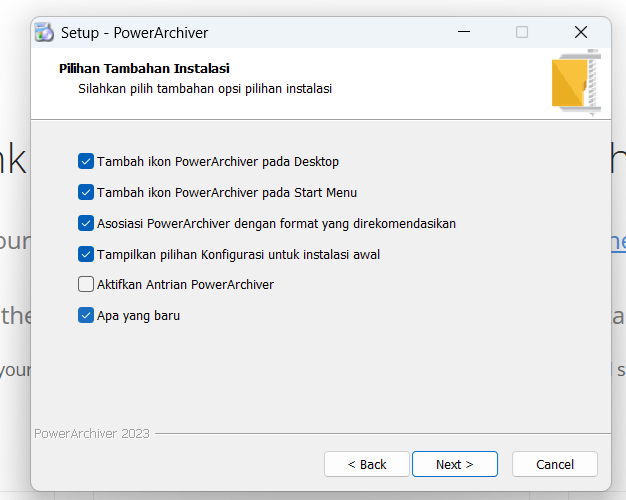
    I downloaded the lastest version and installed it. It started default with “vietnamese”. Strange… I changed trhis to english, but the 3rd stip was not translated [image: 1761035496205-a08345b8-5412-4255-9c58-66f4136ce310-image.png]
  • Windows 11 Shell Extension crash

    Unsolved Tech Support
    1
    0 Votes
    1 Posts
    2k Views
    W
    Copied the Take Command shortcut, changed Target to be wt.exe -p “Take Command” and saved it. Right-clicked to get to properties and Explorer crashed. (wt.exe is the Microsoft Terminal program, which I have installed from the Microsoft Store.) The Target path had changed to: C:\Users{username}\AppData\Local\Microsoft\WindowsApps\wt.exe -p “Take Command” Created a new shortcut in a Start Menu folder and set the command line to the same, and it crashed the same. Created a new shortcut and set the command line to mspaint.exe (also a Windows Store app) and Explorer crashed on right-click on the shortcut. It appears PowerArchiver shell extensions doesn’t handle Windows Store apps in shortcuts properly. Perhaps it needs better defensive coding around checking the Target of shortcuts, or just ignoring shortcuts altogether. Running PA 22.00.11 on Windows 11 24H2 Build 26100.6584
  • Affected by winrar/.rar vulnerability?

    Solved Tech Support
    3
    0 Votes
    3 Posts
    5k Views
    M
    Hi, I’m glad to hear from you and welcome back! Any translation needed? Phil French translator (I’ve been doing this since 2003, time flies!!)
  • updates

    Unsolved Tech Support
    6
    0 Votes
    6 Posts
    9k Views
    T
    Yep. As Bones so famously said… “He’s dead, Jim.”
  • Ultimate zip was made by powerarchiver

    Unsolved Tech Support
    1
    0 Votes
    1 Posts
    5k Views
    D
    From google search AI Overview Yes, that’s correct. UltimateZip was indeed a product of the same company that developed PowerArchiver, and it was essentially a rebranded version of PowerArchiver. It was discontinued and replaced by PowerArchiver.
  • News/Update on PowerArchiver/Connexion in 2024

    Locked Solved Tech Support
    7
    5 Votes
    7 Posts
    11k Views
    RJWaringR
    @TheAndyMac glad to hear it and its as i expected. The war in ukcraine caused a number of unexpected blips for many and i believe PA had some key contributors from that way. I’m hopeful to get back and help the devs with Alpha, Beta and RC testing & brain Storming etc i’m medically retired now and have way more time on hands so i hope to help in due course. Like with many, i await eagerly some update from ConeXware staff. Kind Regards RJWaring
  • 0 Votes
    2 Posts
    6k Views
    TheAndyMacT
    Just uninstalled, fully cleaned all registry using Registry Finder to search for and remove all PowerArc and Connexware entries, and then reinstalled - and now showing just the one, correct menu. Something was duplicating the installation of the handlers, so maybe something that can be done in the installer.
  • No Icons for SFX-Archives

    Unsolved Tech Support
    6
    1
    0 Votes
    6 Posts
    8k Views
    MerowingerM
    @Mili said in No Icons for SFX-Archives: @Merowinger said in No Icons for SFX-Archives: Hello! I’ve just created SFX-Archives both from ZIP and 7z-Archives and none has an Icon as it seems. I use the new version 22.00.11. [image: 1729594955632-zwischenablage_10-22-2024_01.jpg] Hey, thanks for writing. I tested and got the resulting icon when creating an EXE from an existing archive. [image: 1729699973726-iconssfx.jpg] I did test adding a custom icon from the create SFX dialog and it did not work correctly, so bug found and added for fixing, thanks very much :) Thank you!
  • Zip extraction from windows 11 by windows

    Unsolved Tech Support
    1
    1 Votes
    1 Posts
    5k Views
    D
    Basically I used powerarchiver context menus to zip up a folder then i used windows 11 own built in zip extractor via the context menu to extract all and this is where it throw up a fault. , I’m using windows 11 . The file that was a problem in the zip that windows 11 could not extract was iva “babe” cotton.jpg I know it has non standard quotes in it. However I had winrar on the computer and tried the exact same method with their context menu compress to zip and then I extracted the file with windows own extract all context menu and it had no problems. This indicates that powerarchiver is doing something different with iva “babe” cotton.jpg compressing to zip. Then I changed iva “babe” cotton.jpg to iva babe cotton.jpg and compressed it with powerarchiver and then tried it with windows 11 extract all and had no problems. It looks like powerarchiver is doing something to that one file that has quotes in it. Please note that powerarchiver extracted both zip files with no problems, only windows built in zip extraction had the fault. Reason I’m letting people know in case they send zip files with special characters in files names to people who do not have powerarchiver. When will a fix be implemented?
  • Installer problem

    Unsolved Tech Support
    3
    0 Votes
    3 Posts
    7k Views
    D
    I have installed the latest beta on windows 11 pro and it work ok, I use mcafee. If the file is in the folder, as I suspect it should be, then it could be a permissions thing on your system. One way to test its’s not your antivirus doing this is to temporary disable it and try loading / installing powerarchiver. If that works its your antivirus. Another solution is to install to a different folder to see if the program folder is locked permission wise. I would suggest listing your windows 11 build and specs on computer.
  • Button alignment. About window.

    Solved Tech Support
    2
    1
    1 Votes
    2 Posts
    6k Views
    LuxorL
    @Luxor Fixed in 22.00.11
  • Button alignment on config window.

    Solved Tech Support
    2
    1
    1 Votes
    2 Posts
    6k Views
    LuxorL
    @Luxor Fixed in 22.00.11.
  • BETA: PowerArchiver 2023 - 22.00.10

    Locked Solved Tech Support
    2
    0 Votes
    2 Posts
    7k Views
    spwolfS
    @spwolf New build here: https://forums.powerarchiver.com/topic/6666/beta-powerarchiver-2023-22-00-11
  • BETA: PowerArchiver 2023 - 22.00.11

    Pinned Locked Solved Tech Support
    1
    1 Votes
    1 Posts
    6k Views
    spwolfS
    New version: PowerArchiver 2023 - 22.00.11: Download: https://u.powerarchiver.com/pa2023/powarc220011.exe New build for some bug fixes and issues - full list to come with new update. Please test and see if you have any issues. Thanks everyone for your assistance!
  • THE SSL CERTIFICATE FOR *.POWERARCHIVER.COM HAS EXPIRED.

    Solved Tech Support
    2
    0 Votes
    2 Posts
    6k Views
    LuxorL
    They know and it’s fixed now.