




Taskbar Progress Bar
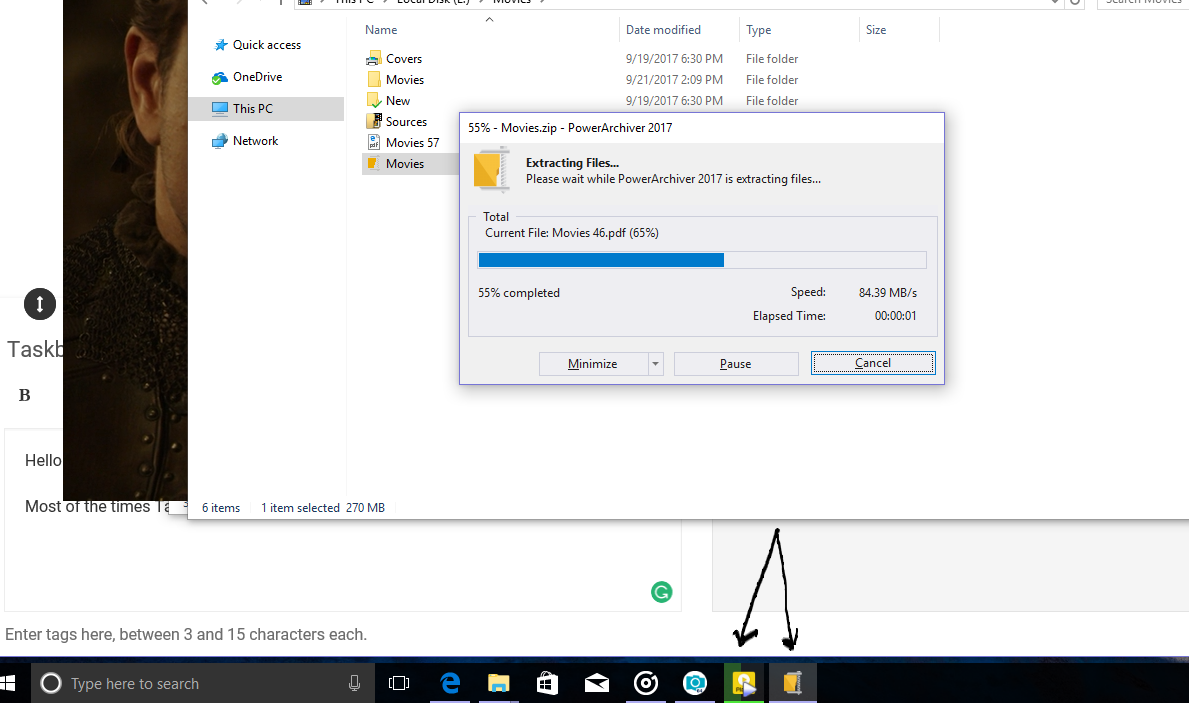
-
where can I find version .28?
-
Compressing JPG files to PA works correctly
But the button that mark in screenshot does not work

-
@shahin said in Taskbar Progress Bar:
Compressing JPG files to PA works correctly
But the button that mark in screenshot does not work
it only works in classic toolbar, you cant select buttons in ribbon/modern toolbar like that. Thanks!
-
every time opening PowerArchiver a folder named “PowerArchiver 2018 (64-bit) (Unregistered)” is created in “C:\Users*\AppData\Roaming”. what’s this?
-
@shahin
Just deleted mine and it hasn’t come back.
I think it’s something to do with the Ribbon toolbar, stick with the Classic Skins for now -
@ckit said in Taskbar Progress Bar:
@shahin
Just deleted mine and it hasn’t come back.
I think it’s something to do with the Ribbon toolbar, stick with the Classic Skins for nowwe use Microsoft SDK for Ribbon interface, it creates a temp folder with its settings required to initialize the interface. It is the way it works.
It is much faster than previous custom modern toolbar, so it is overall much better.
-
@Shahin if there is some other issue, lets open up new thread for it… closing this one. Thanks!
-
@shahin said in Taskbar Progress Bar:
every time opening PowerArchiver a folder named “PowerArchiver 2018 (64-bit) (Unregistered)” is created in “C:\Users*\AppData\Roaming”. what’s this?
p.s. if you dont have PA 2018 license yet, let us know via support at conexware.com, you will get one for bug reporting, or extension of select plan. Thanks!