




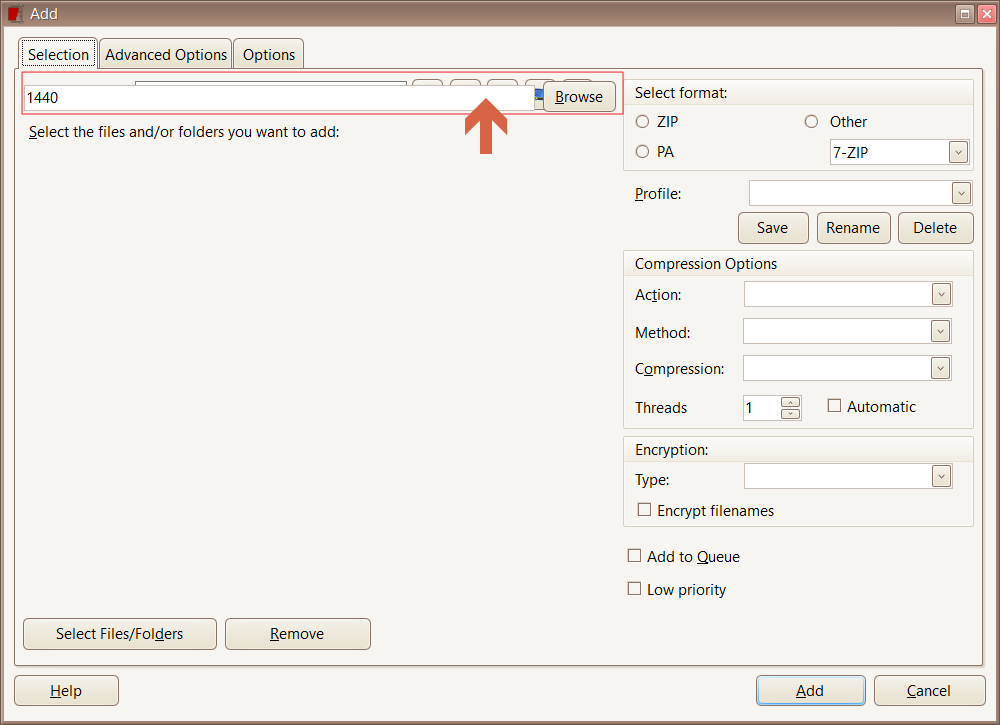
PA2017 build 83 - Add Window Paint bug
-
Open PowerArchiver, in Folders pane choose Desktop or Quick Access and press Add button on toolbar.
Launching Add Window from within archives seems to be fine!This might be a skin\theme bug, I’m too excited at the moment LOL

-
@ckit cool bug! Thanks!
-
Looks good here(see screenshot)
send us your reg please, support at conexware dot com
thanks!
-
Reg file sent
Mili, that Add window looks like it was opened from within “PA 78 Archive2.pa” -
Yes! thanks a lot!
Was able to reproduce it and figure out that it occurs when advanced add window is enabled in config.
that reproduces it.many thanks for your help, weekend warrior! :)
-
It’s hard for me to confirm this one, Explorer Display style seems to be completely dead and now useless! Startup Locations in Folder options is also useless! No folders or files to be seen in Folder pane or File Listing pane
PowerArchiver has reverted to a really old version of WinRAR and on that note, just opened WinRAR and wham! Folders and Files appear in both panes!
Oh, I have no doubt the above bug is fixed but I’m not huge with Faith
-
@ckit chris, does it happen with .90? Thanks!
-
Fixed in Final build 90, user gets a “Please select files\folders in the main file list window”